Article mode

AI for research paper writing: a sourced draft, an editor and AI text editing

Article mode turns a research question into a draft with an introduction, methods, results and discussion, where every claim is tied to a publication. Then the editor: edit by hand, or select a passage and ask the AI to paraphrase it in academic style, shorten or expand it.

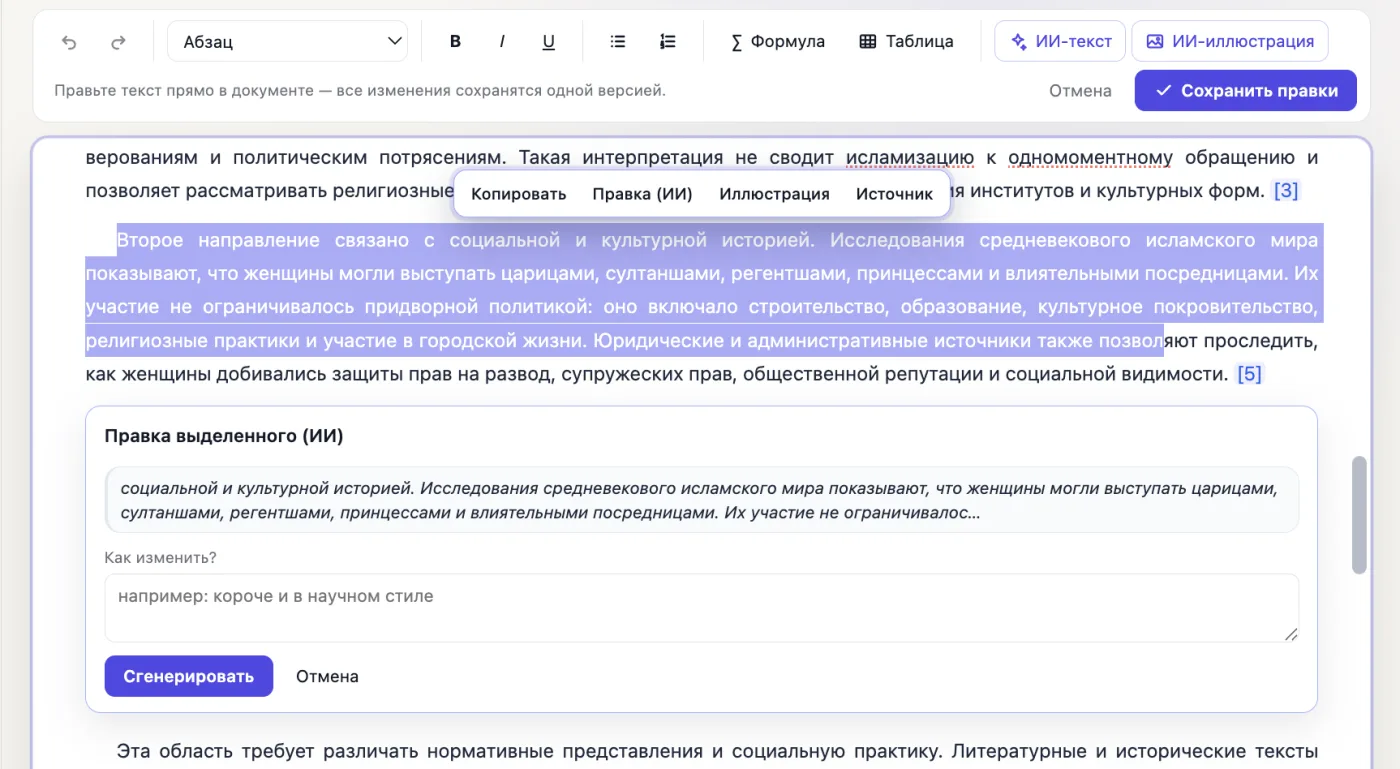
AI edit of the selection in the scid.ai editor: a selected paragraph, the “AI edit” menu and the “How should it be changed?” field
AI editingA selected passage, the “AI edit” menu and the instruction field, e.g. “shorter and more formal” (Russian interface shown).

Paraphrase academic text in two clicks

Select a passage, press “AI edit” in the pop-up menu and write what to change: “paraphrase in academic style”, “shorter and more formal”, “expand with an example”. Only the selection changes; source references and numbers stay in place.

A sourced plan first, then the text

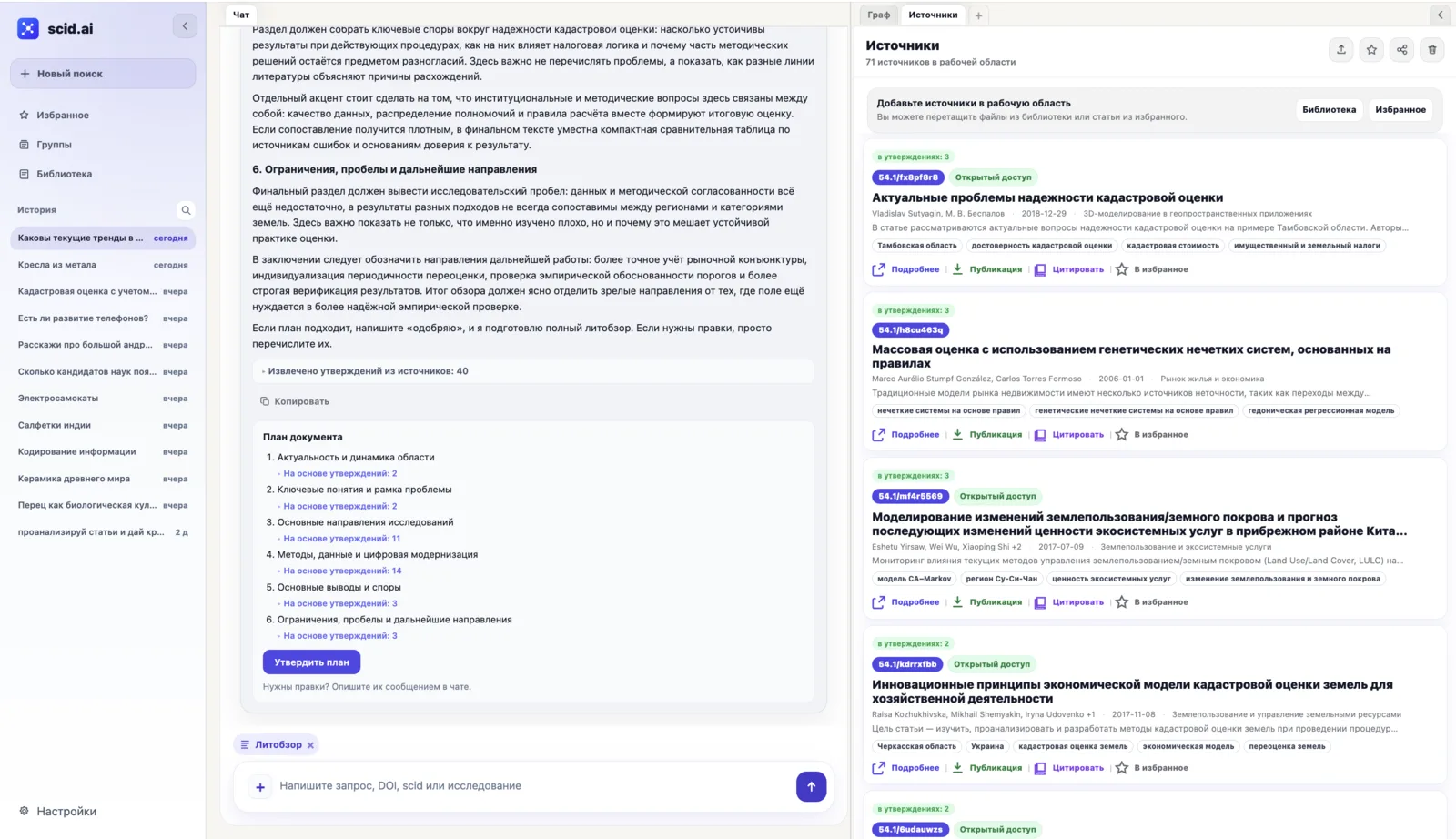
scid.ai extracts claims from the selected publications and distributes them across sections. The plan can be adjusted before any text is written: drop a section, merge two, reorder.

scid.ai: a document plan with the number of source claims under each section
The planSections of the future text and the number of source claims under each (Russian interface shown).
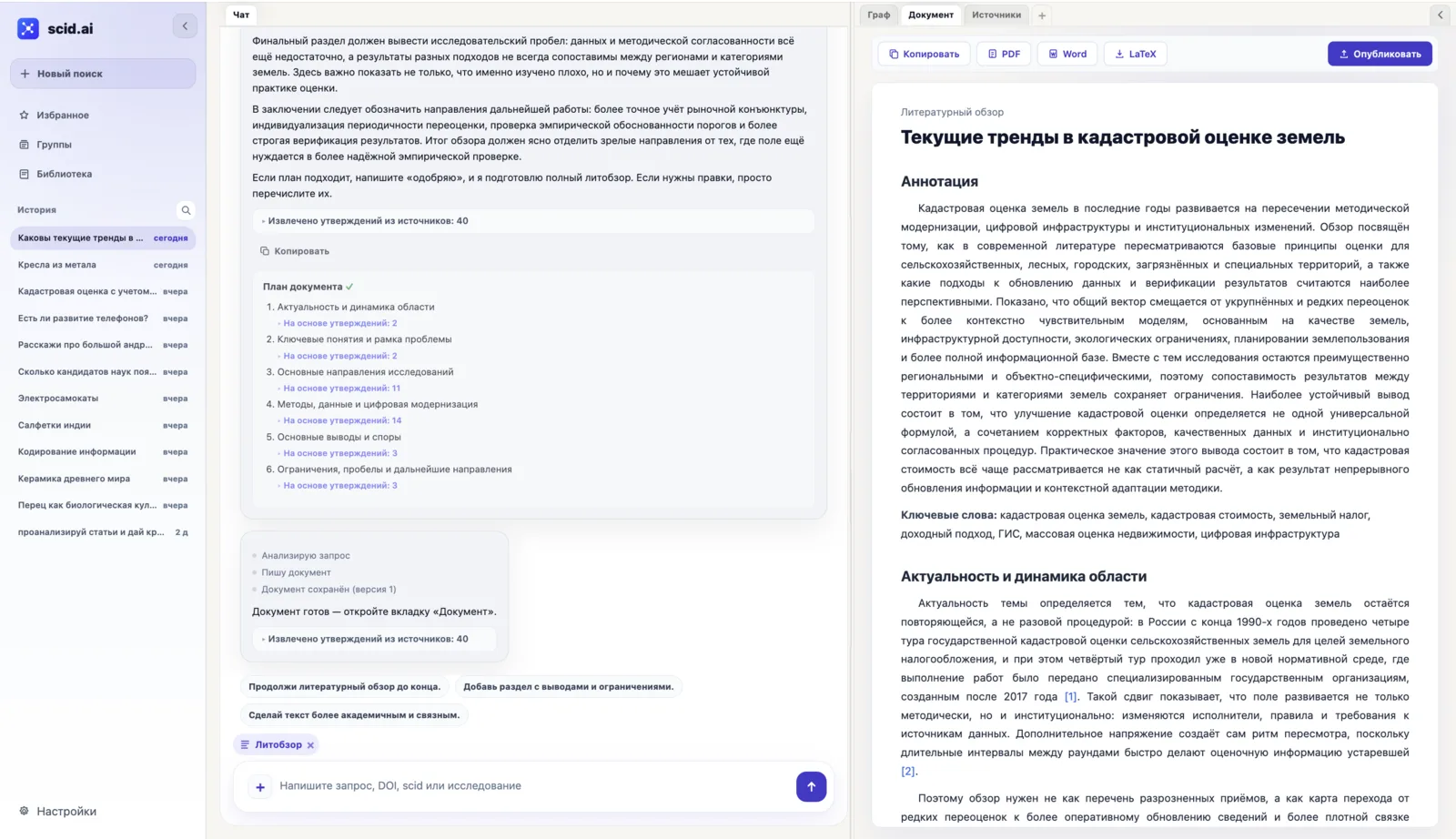
The Document tab in scid.ai: finished text with PDF, Word, LaTeX and Publish buttons
The documentFinished text with an abstract, source references and export to PDF, Word and LaTeX.

A document with references, an editor and export

The text opens in the Document tab: every claim carries a source number, export and publish buttons sit on top. The pencil turns on the editor with AI editing of a selected passage.

The editor: formatting, tables, illustrations and the reference list

What is usually assembled from several programs is done in one editor and kept in the document's versions (Russian interface shown).

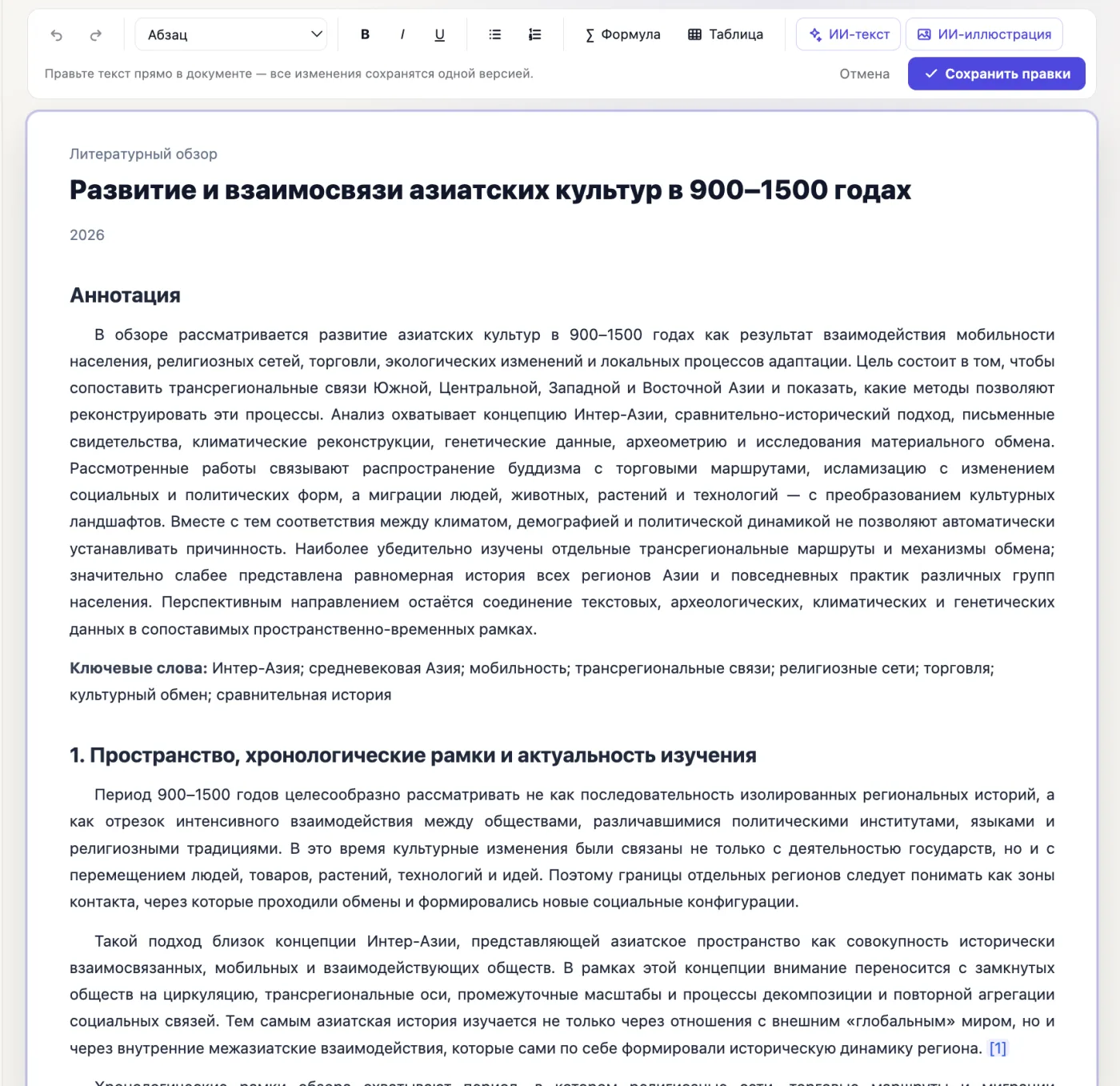
Document editing mode in scid.ai: toolbar with formatting, formula, table, AI text and AI illustration
The editorHeadings, lists, formulas, tables, the AI text and AI illustration buttons; all edits are saved as one version (Russian interface shown).
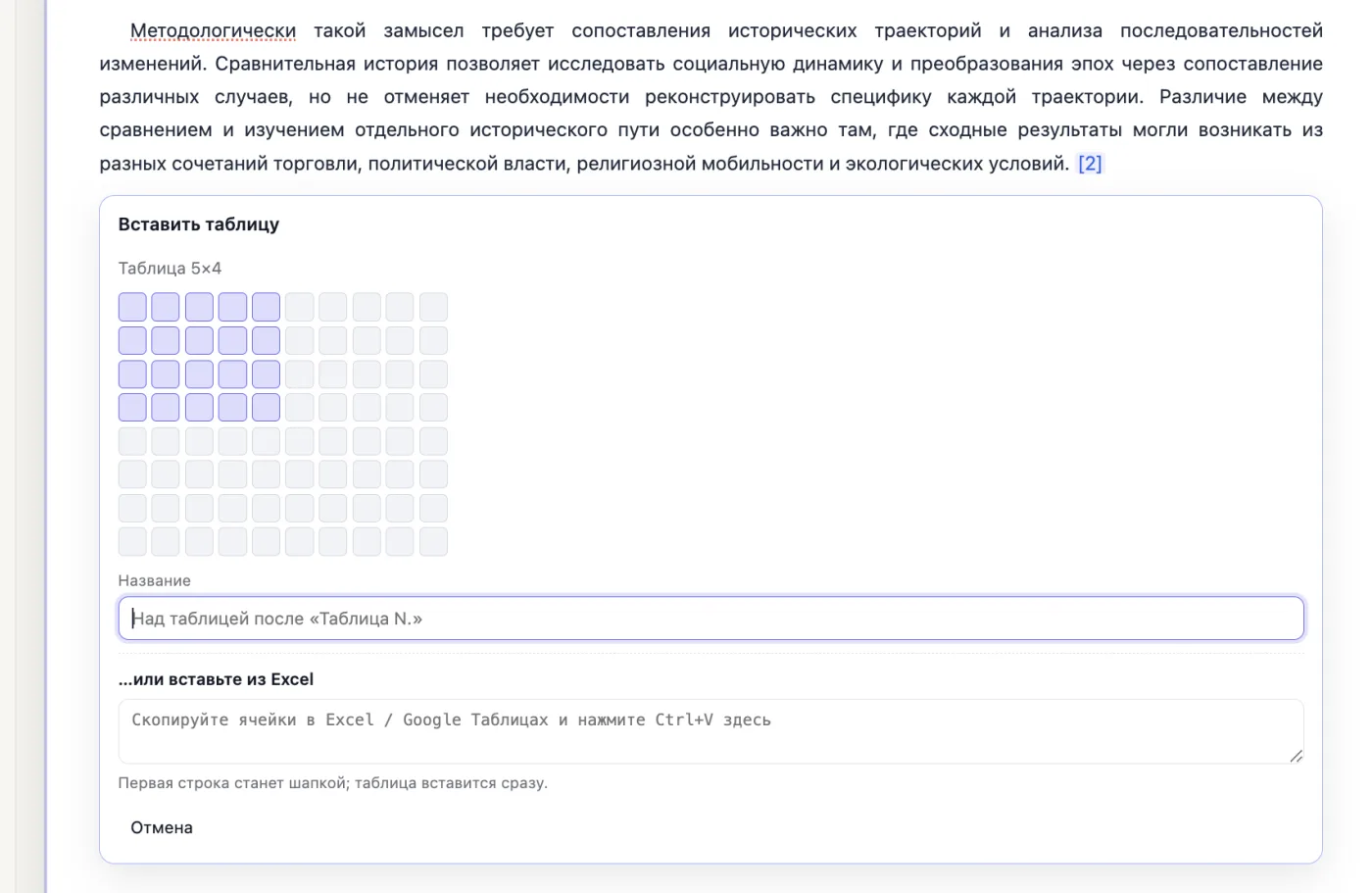
Inserting a table in the scid.ai editor: pick a size on the grid or paste from Excel
TablePick a size on the grid or paste cells from Excel or Google Sheets; the first row becomes the header.
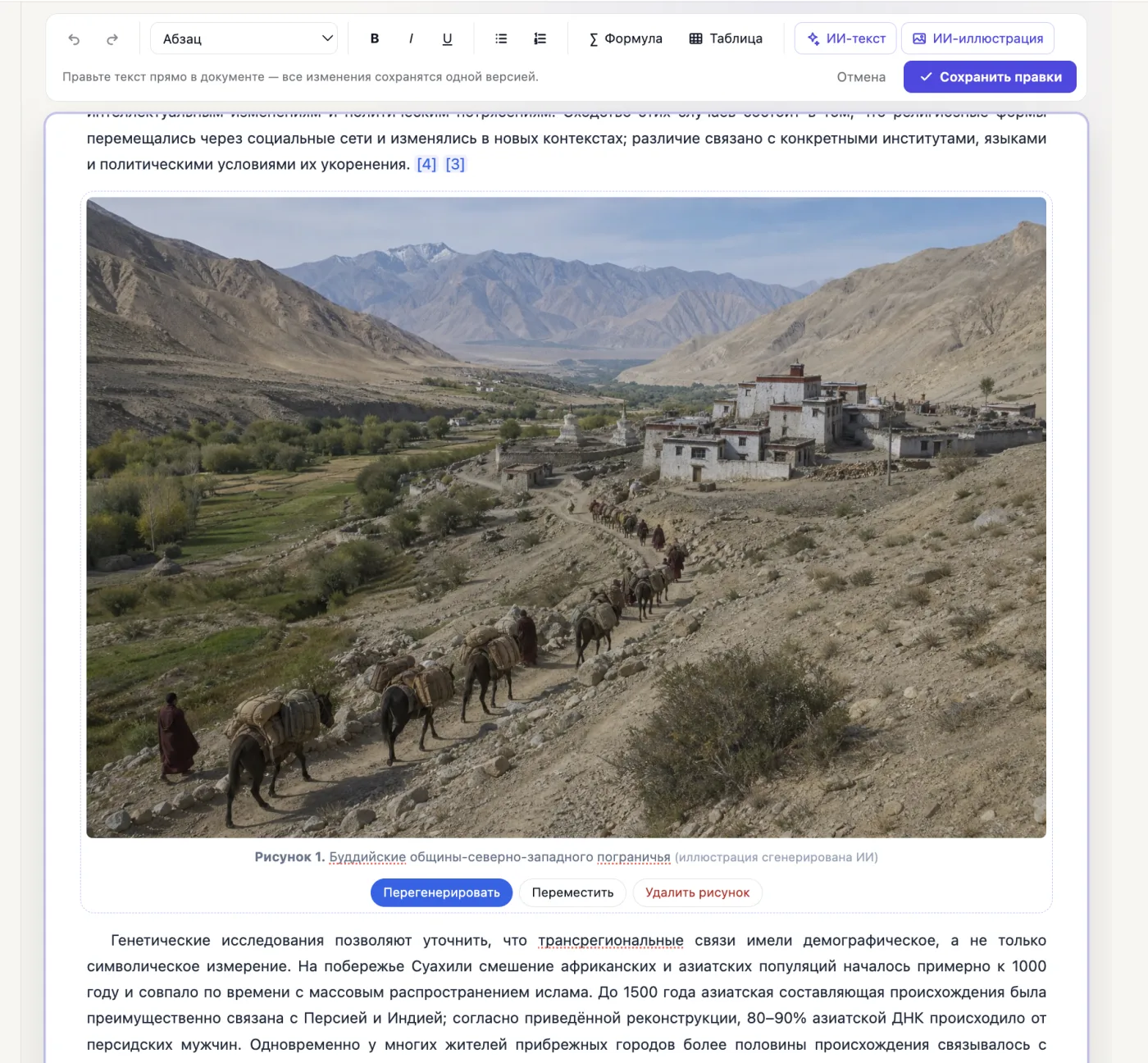
An AI illustration in a scid.ai document with a “Figure 1” caption and regenerate, move and delete buttons
AI illustrationAn image from a description with a “Figure N” caption; it can be regenerated, moved or deleted.
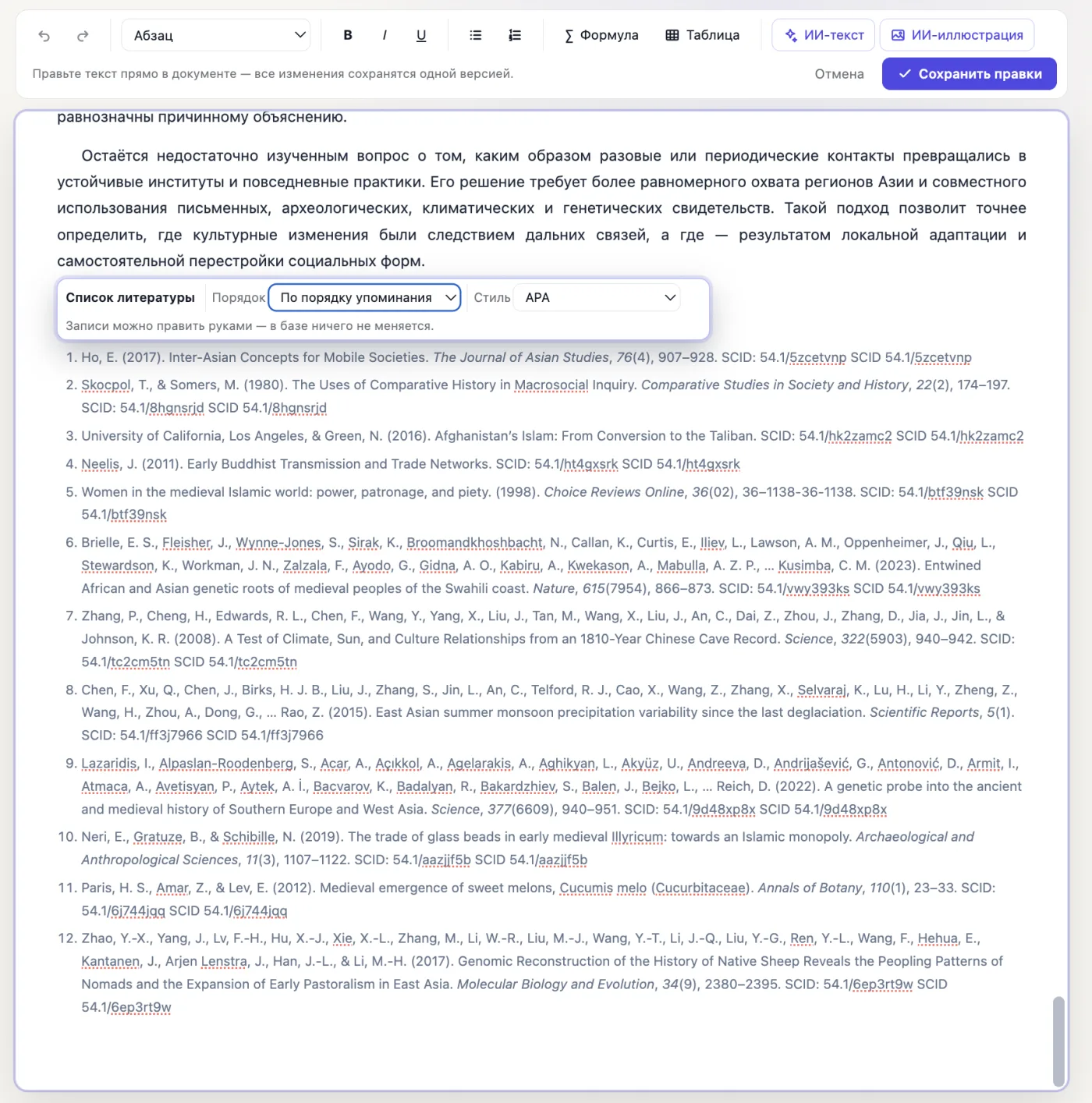
The reference list in the scid.ai editor with order and APA style selectors
Reference listBuilt automatically: order by mention or alphabetical, APA or GOST style, entries can be edited by hand.

How the AI research paper writer works

The paper starts from sources, not from a blank page. scid.ai finds publications for your question, you check the set, and only then the text is assembled section by section with a reference next to every claim.

  1. State the topic and the question. Describe what you study and what you want to show. The sharper the question, the sharper the literature selection.
  2. Check the sources. Remove irrelevant papers, add your own files and data from the library: they become part of the evidence base.
  3. Get the draft. Introduction, literature review, methods, results, discussion and conclusions. The reference list is formatted in APA or GOST.
  4. Edit in the editor. Headings, lists, formulas and tables, AI editing of a selected passage and illustrations from a description. Every save is a new version.

Academic paraphrasing tool: AI editing in the editor

Select a passage in the document and press “AI edit” in the pop-up menu. In the “How should it be changed?” field write what you need: “paraphrase in academic style”, “shorter and more formal”, “expand with an example”, “remove repetition”. The AI rewrites only the selection, source references and numbers stay in place, and the previous wording is kept in version history.

To paraphrase text in academic style outside a document, paste it into the chat with the ready prompt “Paraphrase in academic style”: the answer can be turned into a document and exported.

What the AI will not do for the author

  • It will not invent experimental results or data: the Methods and Results sections rely on your materials and published work.
  • It does not replace verification: every claim in the draft must be checked against its source, and the references sit right next to the text for that.
  • It is not responsible for publication: journals require disclosure of AI use, and the authors remain responsible for the text.
  • It does not guarantee originality of wording: check the text against your university's or publisher's requirements.

What kind of work it suits

  • A journal or conference paper: a draft of the sections and the reference list that you refine to the editorial requirements.
  • A thesis or dissertation: a sourced review chapter and academic-style editing of your own sections.
  • A grant or project report: a results-driven structure, references to publications, Word export.
  • A preprint or working paper: fast publishing of a version on scid.ai with a permanent link.

Frequently asked questions

Can AI write a research paper entirely?

A draft — yes: the structure, literature review, wording and bibliography are assembled from sources. Results, data and conclusions remain with the author, and the text must be checked and refined before submission.

How do I paraphrase text in academic style?

In the editor, select a passage, press “AI edit” in the pop-up menu and write an instruction such as “paraphrase in academic style”. Outside a document, paste the text into the chat with the ready prompt “Paraphrase in academic style”.

Are references and numbers preserved when paraphrasing?

Yes. The AI rewrites only the selected passage, leaves source references and numeric values untouched, and the previous wording stays in the document versions.

Will the AI format the reference list?

Yes: APA 7, GOST R 7.0.100-2018 or GOST R 7.0.5-2008, with a DOI on every entry. The set can be exported to BibTeX, EndNote, RefMan or CSV.

Which formats can I download?

PDF, Word (DOCX) and LaTeX. The document can also be published on scid.ai with a permanent link.

Is it available on the free plan?

The free plan limits Article mode and the number of sources. Current limits are on the pricing page.

Start from structure and sources, not from a blank page

A paper draft with verifiable references, an editor and AI editing in one workspace.

Draft a research paper