 scid.ai
Save at the point of discovery
Add one paper from its record or save an entire search result set in one action.
Save individual papers or an entire result set, find them by topic, year or organisation, and bring them into any research workspace.
Favorites preserve more than a paper link. The scientific record and the path back into the research workspace stay with every saved paper.
Add one paper from its record or save an entire search result set in one action.
Search by title and filter saved papers by year, topic, organisation, access, or collection.
Select the papers you need and add them to the current chat sources without rebuilding the corpus.
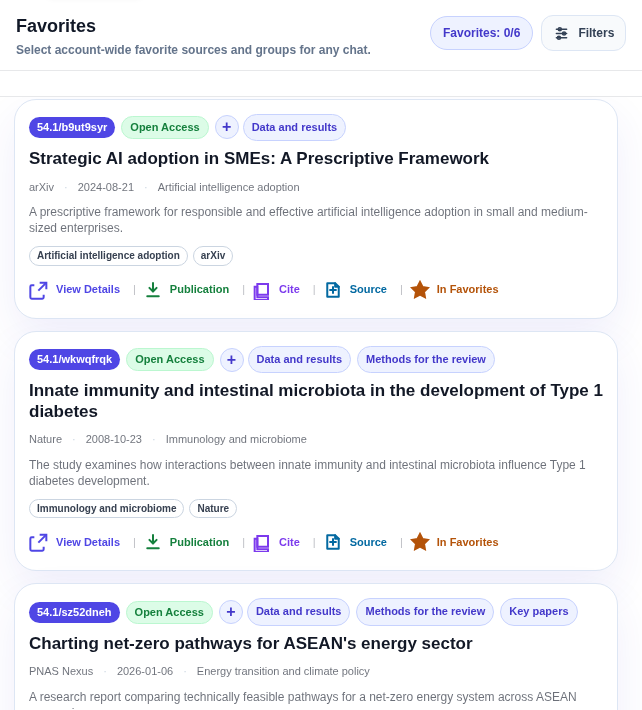
A saved paper remains a complete research source. Open it, cite it, place it in a thematic collection, or bring it into the context of a new question.
Favorites connect rapid paper selection with the next analytical step.
Keep an individual work or move the current search results into your personal base at once.
Filters and groups help retain only the papers that belong to a specific question.
Add saved papers to the current context and ask questions against that exact set.
Yes. Move the result set into Favorites, then narrow it with search, filters, and groups.
Available DOI and SCID identifiers, titles, abstract, year, topic, organisation, journal, access type, and other metadata are retained.
Yes. Add one or several saved papers to the context of the current research session.
Start with the search in front of you: save the papers that matter and return to them when the next conclusion needs evidence.